If/else branch
A special case of capability blocks are functional blocks. These blocks implement conditional statements and Boolean logic. You define specific conditions that should be satisfied, and based on these conditions, you create branches: sequences that should happen if a condition is satisfied, and sequences that should happen if a condition is not satisfied.
Each condition is a sequence of rules chained together with Boolean logic operators (AND, OR).
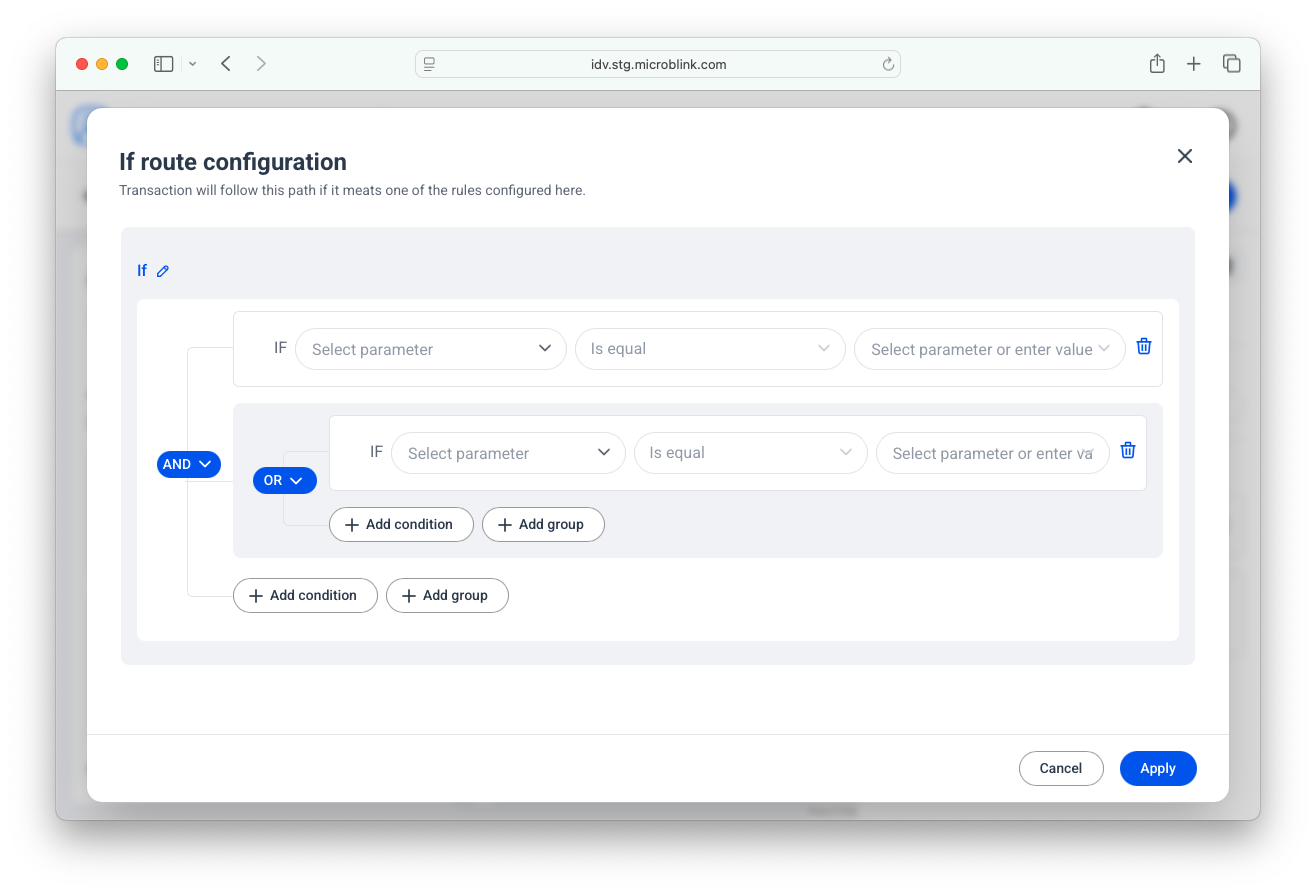
- AND: all rules must be satisfied.
- OR: at least one of the rules must be satisfied.
Rules can be grouped, and logical operations applied on groups of rules, not only individual rules. Rules consist of parameters, operators and operands.
Parameters are values from one of the previous steps. Operators are logical, numerical, string, and other types of comparisons, such as "greater than", "equal to", and so on. Operands are either user-provided values, or are values from other steps.
Only parameters from steps preceding the functional block are available. The steps are ordered in the same way as in the editor, and if you use a capability several times, it appears in the same order as it's defined in the editor.
Custom rules
In addition to functional blocks supporting Boolean logic, individual capabilities support custom rules that also implement Boolean logic.
At the end of the configuration for each capability, a custom rule section allows configuring Boolean logic for parameters available from that capability or from the capabilities before it.
In custom rules, there are no conditional statements, just Boolean logic. The result of the evaluation of the rules sets the step to either rejected or manual review.