Scan Payment Card
Available in SDK v1.3+
The Scan Payment Card capability uses BlinkCard to scan and extract information from credit and debit cards. It supports a wide range of card types issued by major card networks.
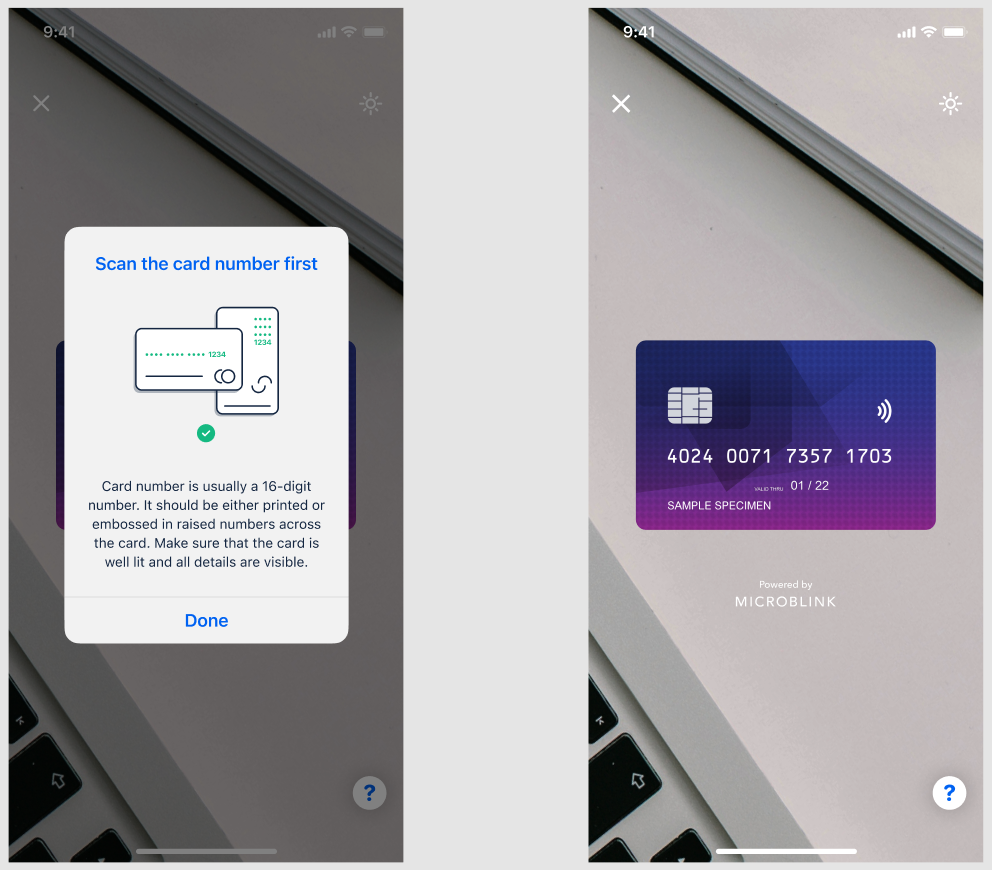
The extracted data is available in subsequent workflow steps and over the API. It can be used to automatically reject expired cards, verify card ownership against other collected data, or as part of broader anti-fraud workflows.
Extracted data
The following fields are extracted when present on the card:
- Card number: the full primary account number (PAN) on the card
- Expiry date: the card's validity date (month and year)
- Cardholder name: the name printed on the card, when present
- IBAN: for cards that display an IBAN, when present
- Card issuer: the issuing bank or institution, when determinable
CVV is never extracted or stored.
Configuration
Anonymization
Handling payment card data has implications for PCI DSS compliance. The capability offers anonymization options so that sensitive details can be partially or fully obscured in both the extracted data and any stored images.
CVV is always fully anonymized and is never returned in the response. For the card number and cardholder name, you can choose the level of anonymization:
- Full: the entire value is masked
- Partial: only a portion of the value is masked (for example, showing only the last four digits of the card number)
- None: the value is returned as-is
You can also control whether card images are stored in the transaction results at all. If stored, images are subject to the same anonymization settings applied to the extracted data.
Consult your internal compliance team or a trusted PCI DSS advisor before adjusting these settings. Incorrect configuration can result in non-compliance.
Liveness detection
The capability detects whether the card being scanned is physically present, as opposed to being presented as a screen capture or photocopy. The sensitivity of the following liveness indicators can be adjusted:
- Screen detection: detects cards shown on a display
- Photocopy detection: detects cards scanned from a printout or copy
- Hand presence detection: checks whether the card is physically held in hand
Reducing sensitivity lowers the rejection rate for real users, at the cost of accepting more fraud. Increasing sensitivity does the opposite. The default settings are designed to balance user experience and fraud prevention; test before changing them.
Rules
The built-in rules allow you to configure automatic outcomes based on the following:
- Card expiry: reject or flag cards past their expiry date
- Card number validity: reject or flag cards with invalid numbers (for example, a number that fails a Luhn check)
- Card liveness: reject or flag cards that fail the liveness checks described above
Each rule can be configured to result in a rejected step or send the transaction to manual review. Custom rules allow additional, more granular configuration on top of these built-in options.