Upload Non-ID
The Upload Non-ID capability enables users to upload non-identity documents for storage and optional data extraction. It's primarily used for employment eligibility verification, supporting I-9 form-related documents.
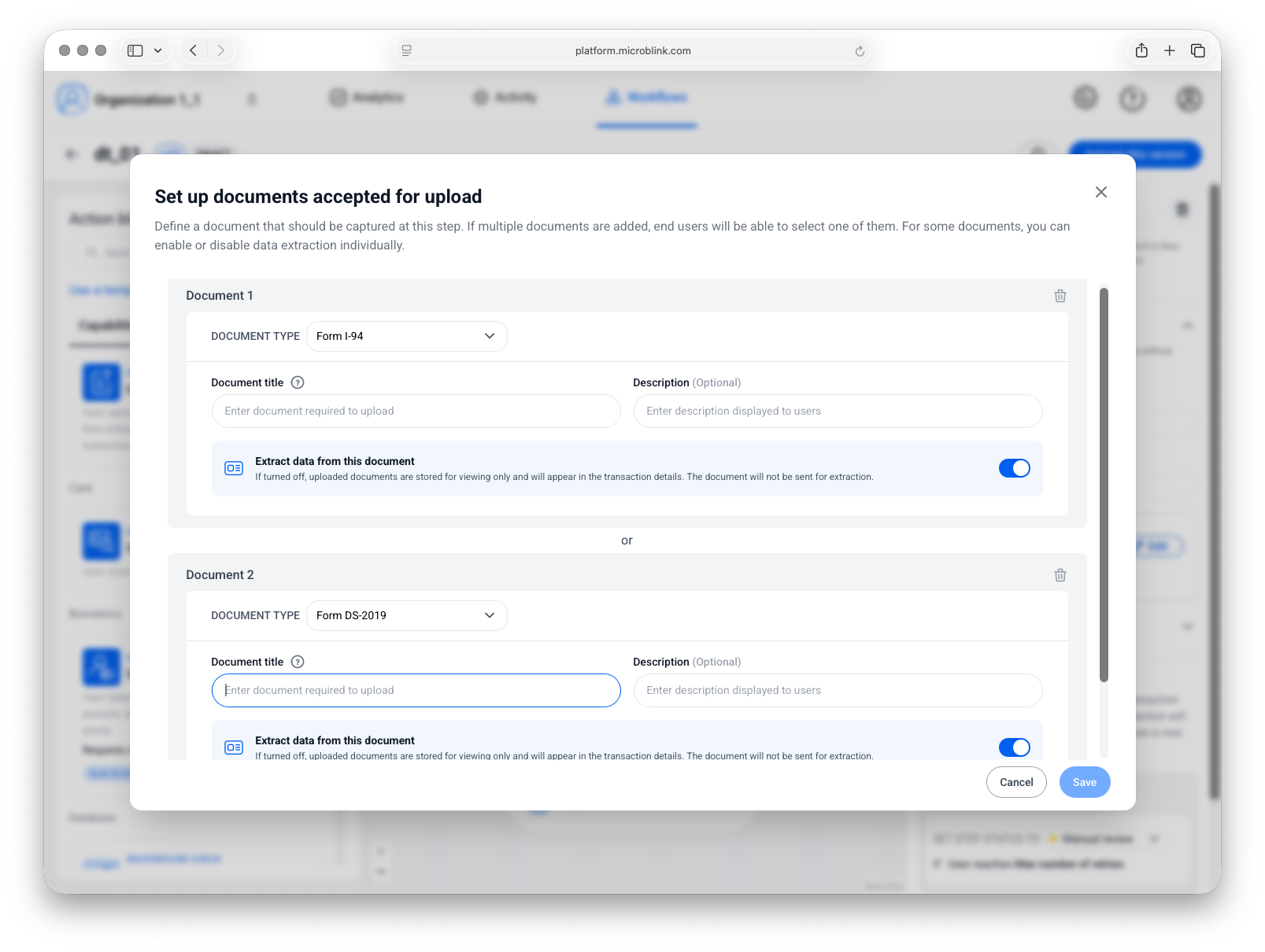
Supported documents
Extraction supported
The following document types support structured data extraction:
- Form I-94 / I-94A (Arrival/Departure Record)
- Form DS-2019 (Certificate of Eligibility for Exchange Visitor Status)
- Form I-20 (Certificate of Eligibility for Nonimmigrant Student Status)
- Form DS-1350 (Certification of Report of Birth)
- Form I-797C (Notice of Action)
Upload only
The following document types can be uploaded and stored, but data extraction isn't currently supported:
- Birth certificates
Supported formats
PDF, JPEG, and PNG files are accepted.
Configuration
For each document type you enable, you can independently toggle whether data extraction is performed. If extraction is disabled, the document is still uploaded and stored in the transaction record.
If extraction fails for a document that has extraction enabled, the document remains stored and available for manual review. The workflow isn't blocked by an extraction failure.
Rules
You can configure step transaction rules to determine how the step outcome affects the overall workflow.