Send verification links
Verification links are links that you can send to your users to verify their identity. Your users receive a link, open it, and are then directed to a one-off web interface where they can scan their identity document.
Verification links require no authentication.
In order for verification links to work, you first need to create a workflow. Each verification link is an instance of a workflow.
One link, one verification
Verification links are single-use only. You must not send the same verification link to multiple users, as each link is scoped to one identity verification. If you resend the same link, it will not work.
Whenever you need a user to go through your workflow, generate a new link.
Create a verification link
Create verification links using the Platform API. Read the API docs for verification links to learn how to call the API.
When you create a link, you provide the ID of the user who will open it, together with their consent.
You can send your users to our managed app, or to an app that you host yourself. Read Run address to decide which option fits your use case.
Try a workflow in the UI
Links created in the UI have no user ID attached to them. Only use them to try out a workflow. To send links to your users, create them using the API.
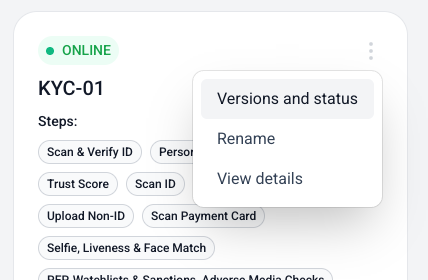
Go to your workflows page, find your workflow, and then click the three dots to open the Versions and status page for your workflow.
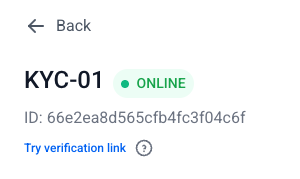
On that page, clicking Try verification link will generate a verification link which will open in a new tab.